PARADOXLABS
Quote

Paradox Labs · custom development

We build theIMPOSSIBLE

The plugin other devs turned down. The server system nobody could stabilize. The bot that shouldn't work — running in production. Custom development for the Rust ecosystem, PC and console, and beyond.

Tools we work with: OXIDE, CARBON, RUST, DISCORD.JS, PTERODACTYL, PAYNOW, RUSTEDIT, WEBRCON, NITRADO, GPORTAL

LAB/01 — SERVICES

Everything we build & run

Managed products and custom development for the Rust ecosystem and beyond. One studio for the plugin, the bot, the server, the storefront — and the platforms that keep them running.

Managed products, running in production

Software we host and maintain so you don't have to. Each one is a full product with its own home — pick the surface you need.

Custom development

Scoped honestly and delivered like a studio — tracked jobs, versioned files, changelogs and a bug-fix window. Not a zip in your DMs.

LAB/02 — WHY "PARADOX"

Every server owner has heard it: "that's not possible."
We made a studio out of proving that wrong.
SCOPE HONESTLY

If it truly can't be done, we say so before you pay — and tell you what can.

ENGINEER, DON'T HACK

Performance-tested against real player counts. No plugins that melt your frame times.

DELIVER LIKE A STUDIO

Tracked jobs, versioned files, changelogs, invoices, and a bug-fix window. Not a zip in your DMs.

LAB/03 — PROTOCOL

How it works

01

Quote

Describe what you need in a structured request — no Discord DM archaeology. You get a scoped estimate, usually within a day.

02

Build

Your job moves through development and testing with its status visible to you. Updates come to you; you never chase us for them.

03

Deliver

Versioned files with changelogs, a proper invoice paid by card or crypto, and a 30-day bug-fix window after handover.

LAB/04 — FIELD LOG

Recent work

All work →
DISCORD BOT
Custom console bot for a multi-game community

One custom bot for an Xbox and PlayStation community running Rust Console, Deadside and Conan. It reads the servers over WebRCON and log files, with no mods. It replaces 8 old bots, with killfeeds, gamertag linking, a shared economy, a casino, an arena, a store with in-game delivery, a staff panel and a public community website.

8 bots replaced by our single specialized bot

PRIME
Prime: one bot that runs the whole community

Chat bridge, event logs, tickets, giveaways, account linking and map-vote wipes from one managed bot per server. Owners sign up on the site and get a bot; no VPS, no scripts, nothing to host.

One managed bot per server, nothing to host.

AUTOMATION
A storefront and client portal, built end to end

The site you are reading. Product store with card and PayPal checkout, licence issuing and hardware-locked activation, a customer portal for jobs and downloads, quote intake, invoicing, and an admin board behind it.

Store, licensing, portal, quotes and invoicing in one system

PAYNOW THEME
A twenty-theme PayNow storefront line

Twenty PayNow store themes built from scratch, from a free starter to a premium tier. Every one ships the complete template set, including all six PayNow modules, and switches its whole colour scheme from a single dropdown.

20 themes; 18 of them ship 4 or more colour skins; 58-65 store-owner options on the premium tier

LAB/05 — STORE

From the store
Store →
RUST PLUGIN

GasStation

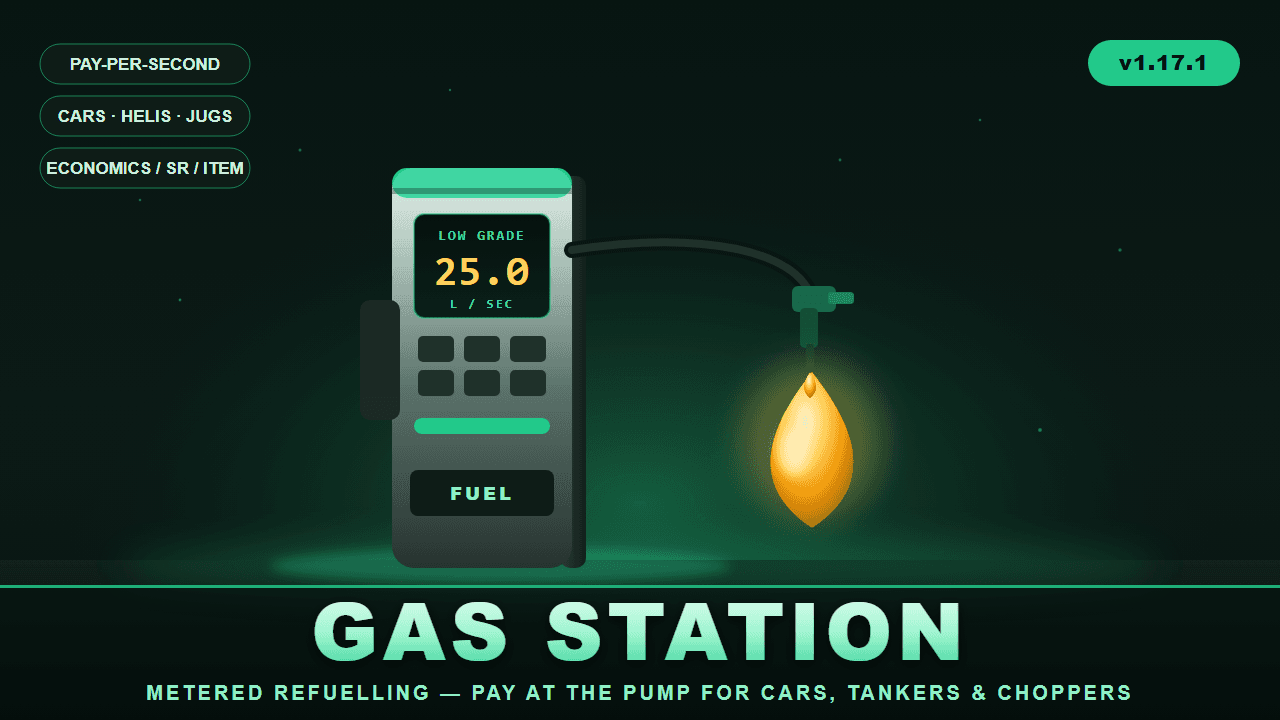
⛽ GasStation Working fuel pumps at every gas station monument. GasStation turns the pumps at Rust's gas station monuments into real, metered refuelling points. Players pull up in a modular car, hop on a bike, land a minicopter, or even walk up with a jug — press one button, pick their fuel, and pay by the second while the pump fills the tank in real time. When the tank's full or the wallet runs dry, it stops on its own and refunds anything it couldn't deliver. Pumps are found automatically — the plugin locates gas station monuments and auto-detects their pump props, so it works out of the box on wiped maps and custom maps alike, with a full admin toolkit to fine-tune positions when you want to. ✨ Features ⏱️ Metered, pay-per-second billing — players are charged live as fuel flows, with unused charges refunded if the tank fills mid-pump 🚗 Wide vehicle support — modular cars (fuel tank and tanker fuel-tank modules), plus minicopters, attack helis, scrap transport helis, motorbikes, sidecars, and snowmobiles (all configurable) 🧴 On-foot jug refuelling — fill water jugs, bota bags, and buckets with water, crude, or low grade fuel without a vehicle at all ⛽ Fully configurable fuel types — Low Grade, Crude Oil, Water, and jug variants out of the box; set delivery rate, price, max run-time, target tank, colour, and per-fuel permission for each 💰 Three currency modes — Economics, ServerRewards points, or any item (scrap by default); currency can even be overridden per fuel 🏷️ Permission discounts — e.g. gasstation.vip = 25% off (add as many tiers as you like), plus free-fuel permission and optional free-for-admins 🖥️ Clean in-game UI — a pump prompt, fuel-selection menu, and a live progress bar showing units delivered and money spent; press again to stop 🎯 Auto pump detection — finds gas station monuments (MonumentFinder supported, terrain fallback) and their pump props automatically, rebuilding on wipe 🛠️ Full admin toolset — scan, auto-add, manually place/remove pumps, list, visualize, teleport between stations, and inspect vehicles 🎛️ Tunable behaviour — detection radius, facing requirement, activation button (SPACE / E / R / SHIFT / CTRL), remount handling, lock-while-filling, stop-on-leave, and more ⌨️ Player experience Drive/walk up to a station pump → a "FUEL PUMP — press [SPACE]" prompt appears Press the button → the fuel menu opens with prices and your balance Pick a fuel → the pump fills your tank while a progress bar tracks units and cost Press again (or fill up / run out) → it stops and reports what you got 🛠️ Admin commands (/gasstation) near, stations, tp <n>, scan [filter], autoadd [filter], add, remove, list, show, wipe, modules, reload — everything you need to set up and debug pumps on any map. 🔐 Permissions gasstation.use — use the pumps gasstation.admin — setup/admin commands gasstation.free — refuel for free gasstation.vip (and any discount tiers you add) — percentage discounts Optional per-fuel permissions 🧩 Dependencies (all optional) Economics and/or ServerRewards — for currency (item mode needs neither) MonumentFinder — recommended for reliable monument/pump detection ImageLibrary — only if you want a custom prompt image Version 1.17.1 · by carl

£7.99 · v1.17.1

RUST PLUGIN

Coin Flip

Coin Flip A polished coin-flip gambling plugin for Rust (Oxide / uMod). Bet against the house on a 50/50 (with a configurable edge and payout), or challenge another player head-to-head. Fully configurable currency, payouts, animated coin UI, sounds, leaderboard, and offline-safe payouts. Author: carl · Version: 1.0.0 --- Features VS Server — flip against the house with a configurable win chance, payout multiplier, cooldown, and optional daily limit. VS Player — challenge another online player; winner takes the pot minus a configurable table tax. Three currencies — Scrap (built in), Economics, or ServerRewards. Animated flipping coin, win/lose sounds, chat + on-screen result popups. Per-player stats and a `/cf top` profit leaderboard. Offline-safe: fares/payouts owed to a disconnected player are settled on their next login. --- Chat Commands Default command is `/coinflip` with the alias `/cf` (both configurable). Command Description `/coinflip` or `/cf` Open the coin flip menu. `/cf accept` Accept a pending challenge from another player. `/cf decline` (or `/cf deny`) Decline a pending challenge. `/cf cancel` Cancel your outgoing challenge (refunds your stake). `/cf toggle` Turn player-vs-player challenges to you on or off. `/cf top` (or `/cf stats`) Show the profit leaderboard (top 10). `/cf help` List the commands. The in-menu buttons (side selection, bet +/-, MAX, FLIP, SEND CHALLENGE, etc.) drive `coinflip.*` console commands internally — you don't need to type those. --- Permissions Permission Grants `coinflip.use` Open the menu and flip against the server. `coinflip.pvp` Challenge other players (and be listed as a valid opponent). By default both are granted to the `default` group (toggle in config). Manual grant: ``` oxide.grant group default coinflip.use oxide.grant group default coinflip.pvp ``` --- Configuration File: `oxide/config/CoinFlip.json` General Setting Default Description Title `COIN FLIP` Header shown on the menu. Command `coinflip` Primary chat command. CommandAlias `cf` Secondary chat command. ChatPrefix `[Coin Flip]` Prefix on chat messages. GrantUseToDefaultGroup `true` Auto-grant `coinflip.use` to `default`. GrantPvpToDefaultGroup `true` Auto-grant `coinflip.pvp` to `default`. LogFlipsToConsole `false` Log each flip to the server console. ChatResultMessages `false` Also print win/lose results in chat. BlockWhileBuildingBlocked `false` Prevent play while building blocked. Bet Setting Default Description Currency `Scrap` `Scrap`, `Economics`, or `ServerRewards`. Min / Max `10` / `5000` Bet bounds. Step `25` Bet increment for +/-. Default `100` Starting bet. AllowBetAllIn `true` MAX button uses your balance (up to Max). Server Game Setting Default Description Enabled `true` Enable VS Server mode. WinChancePercent `47.5` Player win chance (house edge below 50%). PayoutMultiplier `2.0` Win pays bet × this (2.0 = double). CooldownSeconds `3` Delay between flips. MaxFlipsPerDay `0` Daily cap per player (`0` = unlimited). AnnounceWinsAbove `0` Broadcast wins with profit ≥ this (`0` = off). PvP Setting Default Description Enabled `true` Enable VS Player mode. TaxPercent `5` House cut taken from the pot. ChallengeTimeoutSeconds `45` How long a challenge waits for a response. CooldownSeconds `5` Delay between challenges. RequireTargetPermission `true` Target must hold `coinflip.pvp`. AllowTeammates `true` Allow challenging teammates. CursorPopupForTarget `false` Show a cursor popup to the challenged player. ResultPopupSeconds `7` How long the result popup stays. BroadcastResults `true` Announce PvP results to everyone. AnnounceWinsAbove `0` Broadcast PvP wins above this profit. Also configurable: coin faces (display name, item icon, skin, image URL, colors), sounds, theme colors / background image (optional ImageLibrary), and CurrencyNames (display labels for each currency). --- Economy Integrations Scrap — built in, no dependency. Economics — install the Economics plugin, set `Currency` to `Economics`. ServerRewards — install ServerRewards, set `Currency` to `ServerRewards`. Bets are taken up front (escrow) and paid on result. If a player is offline when a payout is due, Economics/ServerRewards settle by their ID and scrap is stored and repaid on next login. --- Notes Win chance under 50% + a 2× payout is the house edge — tune `WinChancePercent` and `PayoutMultiplier` to set your margin. A player can't flip the server while they have a pending PvP challenge (prevents a payout conflict). Stats and owed payouts persist in `oxide/data/CoinFlip.json`.

£9.99 · v1.0.0

RUST PLUGIN

DecayBooster

Players quit mid-wipe and leave their bases standing. This strips cupboard authorisation from the ones who never came back, and then — only if you say so — clears out the bases nobody holds any more. ## The problem Vanilla upkeep drags abandoned bases out for days. They hold ground, block building, eat entities and make your map look busier than your server actually is. The group upkeep bonus is the reason: a cupboard with eight authorised names decays slowly even when seven of those names quit a week ago. ## What DecayBooster does Removes cupboard authorisation from players who have not logged in for a while. That alone cuts the group bonus and lets vanilla decay do its job properly. Optionally — off by default — once nobody at all is authorised on a base, it can clear the base out entirely. ## Read this before you set the threshold **Rust does not persist a per-player "last connected" timestamp anywhere a plugin can read.** `sleepStartTime` is `Time.time` based and resets on restart. The blueprint table's `updated` column only moves when blueprints change. So the first time DecayBooster sees an authorised player it has never tracked, it starts their clock at that moment. **On a fresh install nobody is deauthorised for a full threshold period.** That is deliberate. The alternative — assuming every unknown player is ancient — would strip authorisation off half your server on the first scan, and you would not get it back. The first scan tells you what it picked up: ``` DecayBooster scan: 412 buildings, 380 cupboards, 1104 auth entries. 1104 newly tracked, ... ``` Practical consequence: install it at the start of a wipe, not the end. ## Work up to base removal, don't flip it on 1. **Watch first.** Leave removal off for a few days. `db.status` lists the bases sitting empty and how long they have been that way. If that list looks wrong, do not proceed. 2. **Preview.** `db.preview` prints exactly which buildings would go and how big they are. It writes nothing and touches no entity. 3. **Set a grace period.** Hours a base sits with nobody authorised before removal defaults to 24 — a full day of visible abandonment before anything happens. 4. **Set a floor.** Smallest base worth removing defaults to 1 building block. Raise it to 10 if you only want real bases cleaned up and are happy to leave stray foundations to vanilla decay. 5. **Then enable it.** Every deauthorisation and removal is written to `oxide/logs/DecayBooster/`, one file per day: ``` [2026-08-30 06:24:39] deauth building=2 cupboard=205176 player=76561190000000001 offlineDays=8.3 [2026-08-30 06:24:39] marked-empty building=2 blocks=2 [2026-08-30 06:24:39] remove-base building=2 blocks=2 entities=3 ``` Keep those. When somebody insists their base vanished for no reason, this is the answer. ## Paced, not a frame spike Removal is throttled. Entities killed per frame defaults to 5 and the scan yields every 10 buildings, so a large base takes a few seconds of wall time to disappear instead of freezing the server. Lower it if your server is already struggling; raise it while clearing a backlog during a restart window. ## Features - Strips cupboard auth from players offline past a threshold you set - Optional base removal once nobody is authorised at all — **off by default** - Global dry-run mode, plus a `db.preview` that simulates the whole chain - Exempt permission for staff and VIP ranks - Optional rule: one active player on the cupboard protects the whole base - Optional sweep of bases that have no tool cupboard at all - Minimum base size floor, so stray foundations are left to vanilla - Tells returning players their auth was removed - Per-day audit log of every deauth and every removal - Paced entity removal with a configurable per-frame budget - `db.selftest` — eleven checks, including a signature check against the vanilla auth API - Hooks and API for other plugin authors - Oxide and Carbon - No dependencies ## Commands Console, or in-game with `decaybooster.admin`. | Command | Does | |---|---| | `db.preview` | Dry-run scan. Reports everything it would do, changes nothing | | `db.scan` | Run a scan now, for real | | `db.status` | Config summary, tracked players, last scan result, oldest empty bases | | `db.forget <steamid>` | Reset one player's offline clock, e.g. after a support ticket | | `db.selftest` | Eleven checks against the live server | ``` DecayBooster status auth removed after : 7 days offline scan interval : 60 minutes dry run : False base removal : off tracked players : 0 bases sitting empty: 0 scan in progress : False last scan : 0 min ago ``` ## Permissions | Permission | Effect | |---|---| | `decaybooster.exempt` | This player is never deauthorised. Grant it to a group for VIPs or staff | | `decaybooster.admin` | The `db.*` commands from in-game | ``` oxide.grant group vip decaybooster.exempt oxide.grant user 76561198000000000 decaybooster.admin ``` ## Settings ```json { "Days a player must be offline before their cupboard auth is removed": 7.0, "Minutes between scans": 60.0, "Scan once on server start as well": true, "Dry run - log what would happen and change nothing": false, "Keep everyone authorised if at least one player on the cupboard is still active": false, "Remove bases once no player is authorised on them (destructive, off by default)": false, "Hours a base sits with nobody authorised before it is removed": 24.0, "Also remove bases that have no tool cupboard at all": false, "Smallest base worth removing, in building blocks (ignores twig spam and single foundations)": 1, "Entities killed per frame while removing a base - lower is gentler on the server": 5, "Tell players when they return that their auth was removed": true, "Announce base removals in the server console": true, "Write every deauth and removal to oxide/logs/DecayBooster": true } ``` The two that change what your server does are `Remove bases once no player is authorised on them` and `Keep everyone authorised if at least one player on the cupboard is still active` — the second one means an active clanmate protects the whole cupboard. ## For other plugin authors ```csharp void OnDecayBoosterDeauth(BuildingPrivlidge tc, ulong userId) { } // Return non-null to spare this base. object OnDecayBoosterBaseRemove(BuildingManager.Building building) { return true; } void OnDecayBoosterBaseRemoved(uint buildingId) { } ``` ```csharp bool exempt = DecayBooster.Call<bool>("IsPlayerExempt", userId); double lastSeen = DecayBooster.Call<double>("GetLastSeen", userId); // unix seconds, 0 if untracked DecayBooster.Call("ResetOfflineTimer", userId); ``` ## Requirements Oxide or Carbon. No other plugin required. ## Support Every purchase comes with the private updates channel in our Discord and updates for the life of the plugin. Your licence key and download live on your purchases page the moment payment clears.

$14.99 · v2.0.0

RUST PLUGIN

Electric Furnace

ElectricFurnace turns a vanilla large furnace into an Electric Furnace that runs on electricity instead of wood. Going electric spawns a real IO node (Electrical Branch) on the furnace, wire any power source into its input and unused power passes straight through the output. If power ever stops reaching it, the furnace falls back to burning wood until power is restored. Get one by upgrading an existing furnace with a hammer, or via an admin-only command that places one wherever you're looking, and it all survives server restarts. Permissions electricfurnace.use lets you hit with a hammer to upgrade a normal furnace. electricfurnace.craft lets you use /efcraft. ADMIN USE ONLY, places the furnace wherever you're looking, do not give this to regular players. electricfurnace.admin bypasses cost/limits with config, unlocks /efmove and /effix Getting one /efcraft — pays the configured cost and places an Electric Furnace in front of you, wherever you're currently looking. ADMIN USE ONLY! Use hammer hit a normal Large furnace the configured number of times (default 5) to upgrade it in place. Limits Default is 5 Electric Furnaces per player, but it's configurable. Once a player hits the limit, a chat message lets them know and placing/upgrading stops until they're under it again. Cost Fully configurable, supports 5 payment methods that can be mixed and matched: ServerRewards, Economics, Scrap, a custom item, or a set of raw resources. Chat Commands (admin) /efcraft Admin only. Crafts and places an Electric Furnace wherever you're looking, for the configured cost. /efmove <x> <y> <z> Admin only. Look at an Electric Furnace to reposition its IO node, the new offset is saved as the default going forward. /effix [rebuild] [orphans] Admin only. Re-attaches or fully rebuilds IO nodes on all tracked furnaces, and can optionally clean up leftover orphan nodes.

£7.49 · v1.0.0

LAB/05 — CLIENTS

What clients said

  • ★★★★★

    I cannot say enough good things about the team behind BLOOD BOT#6221. They worked relentlessly, took us through a full onboarding process, learned exactly how our community operates, and worked out every wrinkle until the bot and website were running exactly how we needed. Before Blood Bot, we relied on 8 separate bots, many behind premium paywalls, costing us $50+ every month. Blood Bot replaced all 8. Now we pay a low hosting cost while having far more control over our economy, rewards, memberships, events, automation, shops, commands, purchases, and website integration. For Discord server owners, that is a huge deal. Instead of juggling multiple subscriptions, dashboards, limitations, and paywalls, we now have one custom system built specifically for our community. The team delivered an outstanding bot and website at a very reasonable price, and I could not be happier with the result. 🤖 BLOOD BOT#6221 🌐 https://taketheoath.xyz/

    JMF0309 · DISCORD BOT

LAB/06 — INTEL

Questions, answered

How fast will I get a quote?

Usually within a day. Describe the project once, properly, and you'll get a scoped estimate — not a 'dm me' and a week of silence.

What happens after I accept a quote?

Your request becomes a tracked job. It moves through development and testing, and you can watch the status instead of asking for updates.

Do I own the code?

For custom commissions, yes — you get the source. If we license one of our existing plugins to you instead, we'll say so up front.

Do you build for console servers?

Yes. Custom console bots for Xbox and PlayStation servers (Rust Console, DayZ, Deadside and more) are built for your community. The code is yours. Host it yourself, or we host it for you. Request a quote to get a price.

How do payments work?

Card (Stripe) or crypto, invoiced properly. Larger projects split into a deposit and a delivery payment.

What if something breaks after delivery?

Every delivery includes a 30-day bug-fix window. Game updates that break things happen — we plan for them.

Bring us yourIMPOSSIBLE

Describe it once, properly. You'll get a scope and a price — not a sales pitch.

Request a quote

By working with us you agree to our Terms of Service and Privacy Policy.